

How filters combine
- Every filter you use narrows the lane: a person has to pass all of them.
- Inside one filter, values are alternatives: “owner, practice manager” means either.
- On an intent lane, How we got here on the Overview tab shows the count before and after your filters, and History → Full funnel shows each step. If one step loses most of the people, start there.
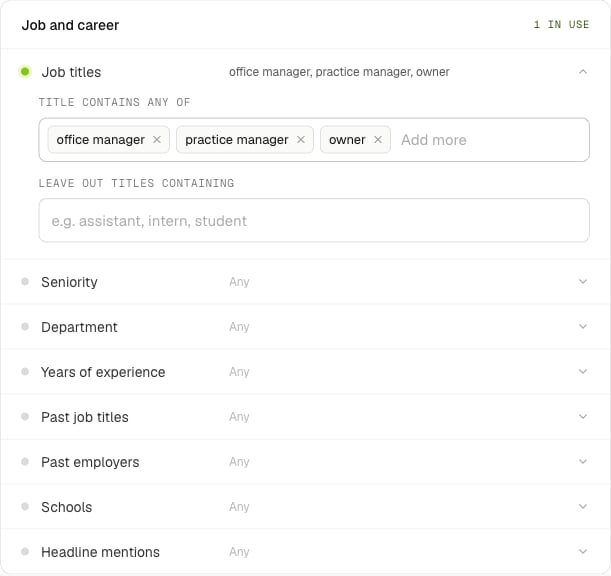
Filters are grouped by what they describe. A green dot means the filter is in use.
Job titles or seniority
Both live under Job and career. They do different jobs:
Combine them to be precise: seniority Owner with titles containing “dentist” finds practice owners, not associate dentists.
The same section has years of experience, past job titles, past employers, schools and headline mentions, for things like “10+ years, previously at a big four firm” or “headline mentions implants”.
Company size and revenue
Under Company:- Company size: an exact staff range (at most 5,000 apart), or size bands, which work best for 1,000+ staff.
- Revenue: annual revenue bands, from under $1M to $1B and over. There’s no exact-revenue filter.
- Industry, plus industries to leave out.
- Keywords: words in the company’s own description, like “injection molding” or “implants”. It’s the sharpest way to pin down a niche.
- Industry codes: NAICS (2 to 6 digits; a short code covers everything under it) and SIC.
- Company name: words to include or leave out, like leaving out “group” and “holdings”.
- HQ location, and US-headquartered companies only.
Location and radius
Under Location, Radius keeps people within 5 to 100 miles of a US ZIP code or city (“77077” or “Houston, TX”). Choose what it’s measured from:- the company’s address: for businesses you’d visit, or that serve their area;
- where the person lives: for people who work across sites, or from home;
- the company’s address (or home if none): the widest of the three.
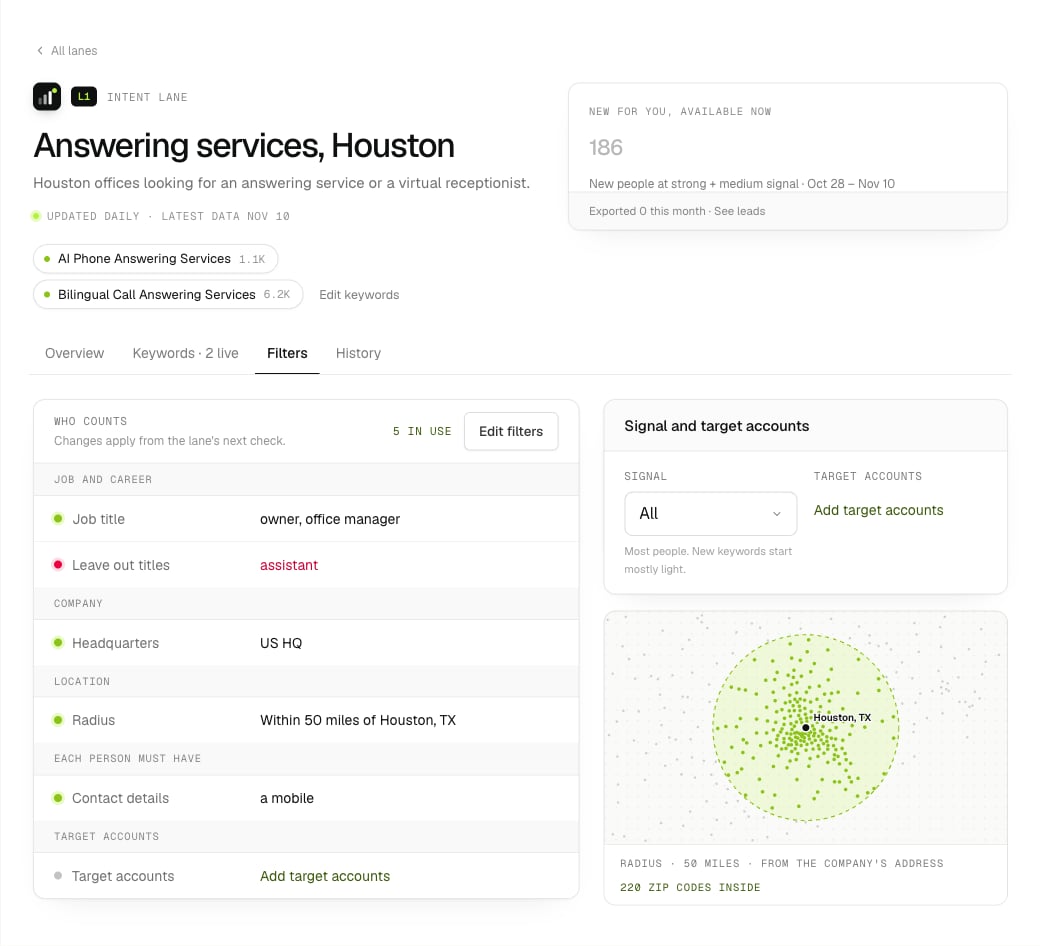
The radius on a lane's Filters tab: 50 miles from Houston, 220 ZIP codes.
Target accounts
When you already know the companies you want, upload them in Lists → Target accounts: a CSV or text file with a domain or company LinkedIn page per row. Lanes match on domains, so include them.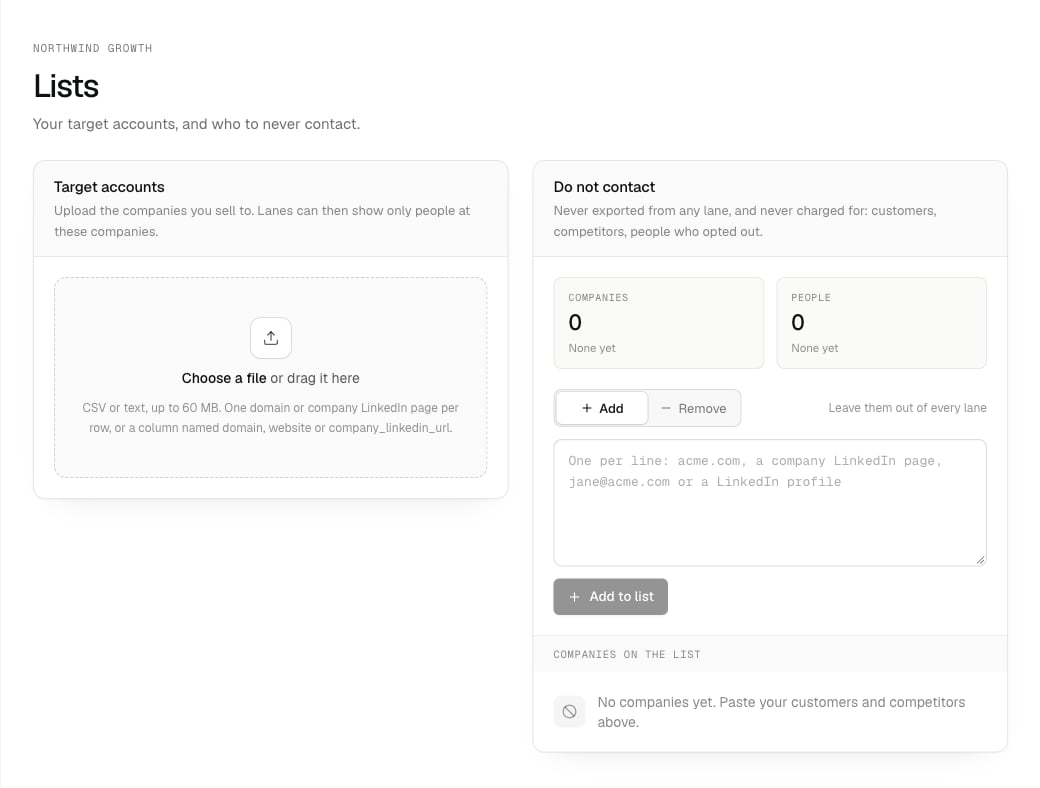
Drop in a file of the companies you sell to.
Counts that use target accounts are approximate: someone tied to two listed companies can be counted twice. An export never buys anyone twice. See Target accounts.
Must-haves
Each person must have keeps only people with the contact details you need: a mobile, a mobile not on do-not-call lists, a business email (or one checked as valid), a personal email, a direct phone or a LinkedIn profile. Nobody without them is counted or exported, so you never pay for them. Each one makes the lane smaller, so add only what your outreach uses: a mobile for calls and texts, a business email checked as valid for email. On a search lane, the same switches sit on the lane page, and flipping one recounts for free.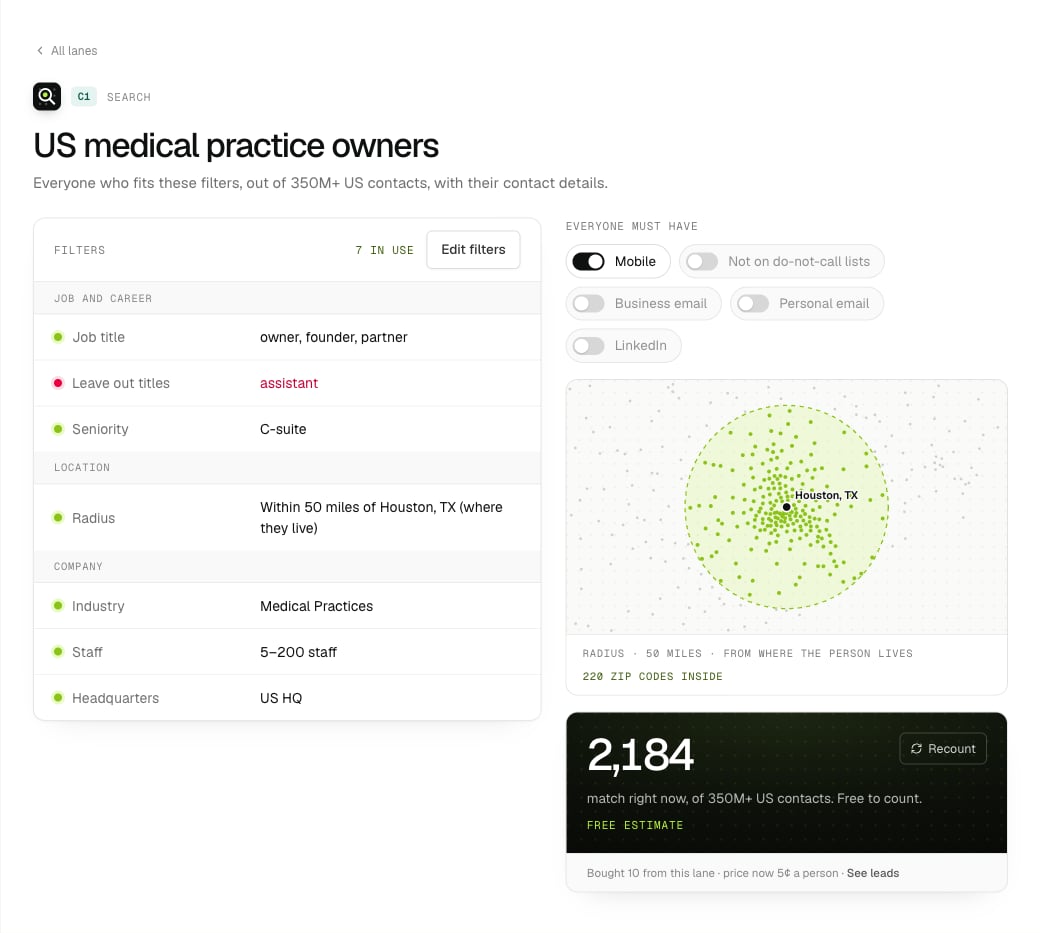
On a search lane, flip a must-have and the estimate recounts.
Leave people out
- Do not contact in Lists leaves companies and people out of every lane, before anything is bought: customers, competitors, people who opted out. See Leaving out companies and people.
- Leave out titles containing, industries to leave out, company description words to leave out, and company name words to leave out, inside a lane.
- Advanced: AND / OR groups for anything else, like “department is none of human resources”. Leave-outs also drop people with no value for that field, so prefer “any of” for what you want. See More filters.
Worked examples
All made up, to show the pattern.Operations leaders at mid-size logistics companies (intent)
Operations leaders at mid-size logistics companies (intent)
A warehouse robotics integrator wants people comparing automation options.
Seniority and department do the work here, rather than titles: operations leaders have many different titles.
Dental practice owners around Austin (search)
Dental practice owners around Austin (search)
A dental equipment dealer wants owners it can call, near its showroom.
Leaving out “group” and “holdings” in the company name drops most multi-site groups, if you sell to independent practices.
IT leaders at your named accounts (intent)
IT leaders at your named accounts (intent)
A security company has 400 named accounts and wants to know who there is researching its space.
With target accounts doing the narrowing, there’s no need for industry or size filters.
When the count is too small
- Find the step that loses the most people: History → Full funnel on an intent lane, or remove filters one at a time on a search lane and recount.
- Loosen that one first: more titles, a wider radius, a bigger size range, one fewer must-have.
- On an intent lane, a lower signal or one more keyword also brings more people in. See Choose keywords that work.