

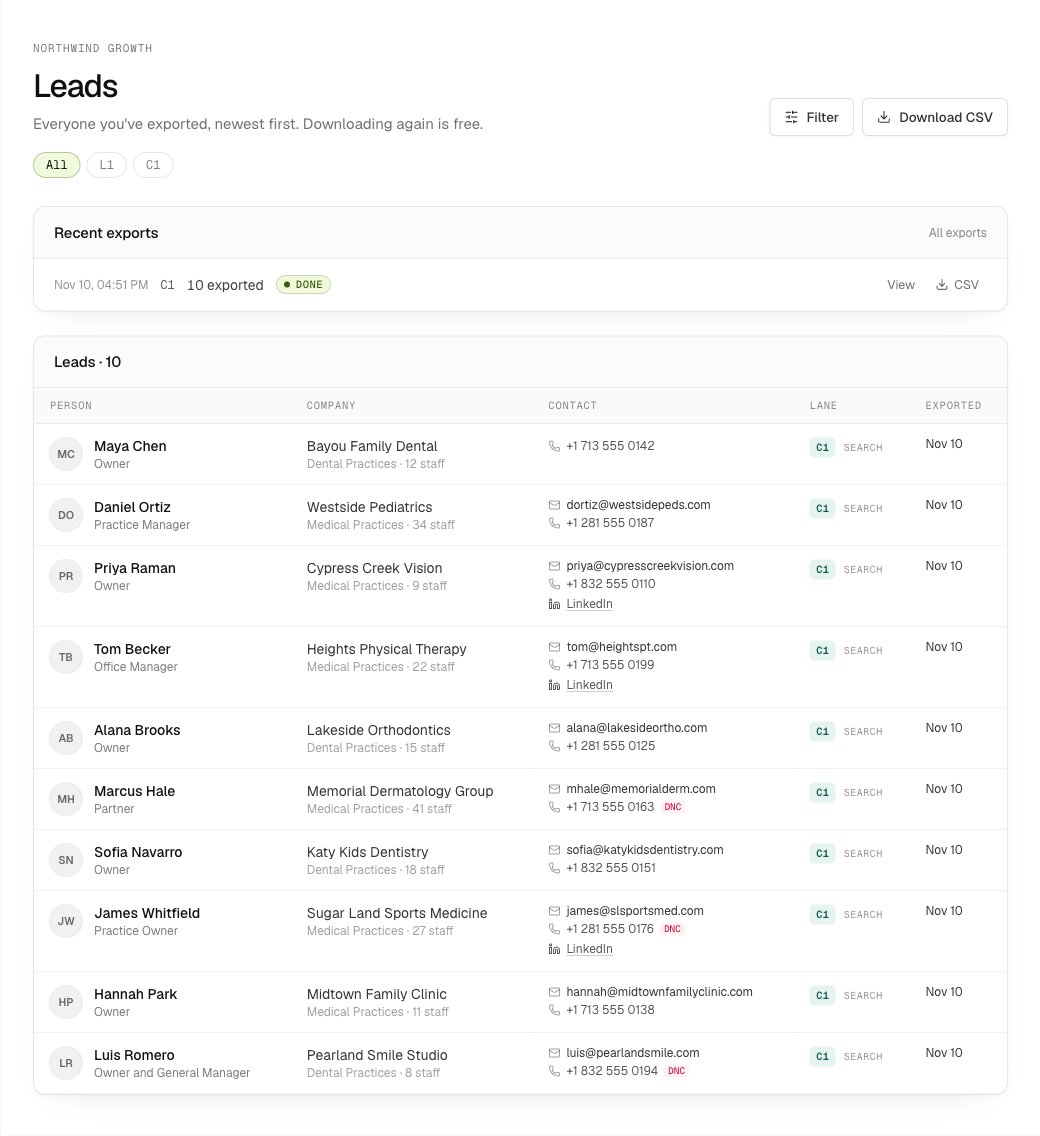
Finished exports land in Leads, with View and CSV.
Quote, then confirm
Every export is two steps with the same request body:1
Quote (free)
POST /api/v1/exports with "dry_run": true says how many people you’d get and what it costs from your balance. Nothing is bought.2
Confirm
The same request with
"dry_run": false and an idempotency_key starts the export and returns 202 with the export.Request body
What you get
- Only new people. Anyone you’ve exported this billing month is left out (for Search, anyone you’ve ever bought), whichever lane found them, even if their details changed since.
- Strongest first. Each lane fills from high intent, then medium, then low (if you allow it).
- Lanes in priority order. With several lanes, they’re filled one after another, highest-priority lane first.
- Capped by your balance.
will_exportis the smallest ofmax, what’s available, what your balance covers, and (in a workspace) what’s left of its monthly budget. The quote’scostshows the price, your balance before and after (nullwith a workspace’s own key, which doesn’t see the organization’s balance), and the workspace’s budget and what’s left of it; you’re charged only for the people delivered.
Idempotency and retries
Theidempotency_key makes confirms safe to retry. Sending the same key again returns the original export with "reused": true and status 200, and never buys again. Use a key that means “this export”, like weekly-2026-10-14 or a UUID you store before calling.
Statuses
Poll
GET /api/v1/exports/{id} every 10 to 30 seconds until the status is completed, partial or failed. While it runs, stage says where it is: preparing (the people are being built; ready_at says when they should be ready) or saving (they’re being added to your leads, usually under a minute). We also email you when it’s done.
How long it takes:
- Intent lanes build their people in a couple of minutes.
- Search lanes prepare people ahead: as soon as a search is counted, its first 5,000 people are prepared at the same time (free), and again whenever they run low. An export of people already prepared finishes in about a minute. The quote says how many are ready (
ready_now) and when more will be (ready_at). People beyond that take about 50 minutes; they arrive in your leads as soon as they’re ready, and we email you when the first part lands and again at the end.
Downloading
GET /api/v1/exports/{id} returns the export and its leads as JSON. Add ?format=csv for a CSV with the columns in Lead fields. Downloading again is always free, as often as you like. GET /api/v1/exports lists past exports, newest first.
When an export is refused
See Errors for everything else.