

The funnel
A check counts people after each filter, so you can see which filter is costing you volume:- Researching your keywords
- US headquarters
- Company size
- Industries (or your company list)
- Seniority
- Job titles
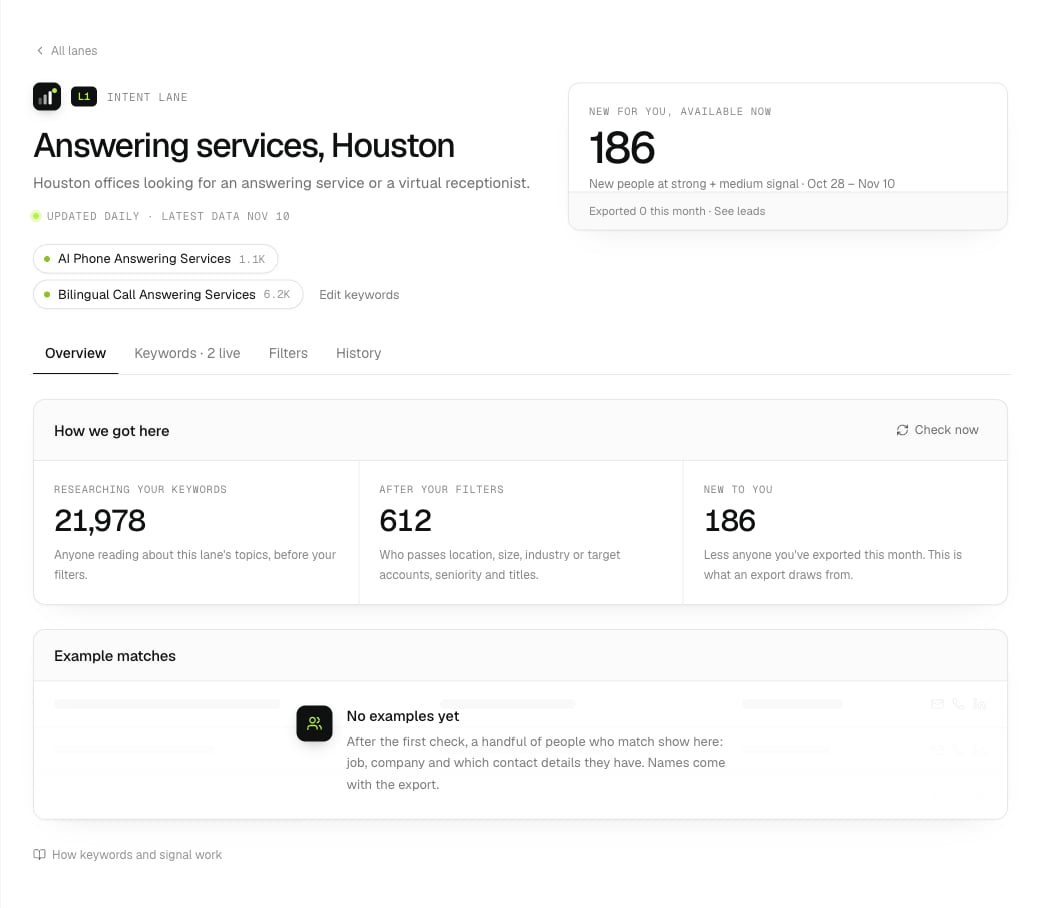
How we got here: from everyone researching the lane's keywords to the people new to you.
Available now
What you can export is the final count less anyone you’ve already exported this billing period, by strength:at_lane_strength uses the lane’s min_strength. You get these numbers from GET /api/v1/lanes, GET /api/v1/lanes/{code}, or a free export quote.
Counts come from the latest check, less people exported since. An export fills the number shown, or fewer if fewer people are really there.
Running a check
GET /api/v1/lanes/{code}/checks.
Samples
GET /api/v1/lanes/{code}/sample returns up to 25 example matches from the latest check: job title, company, industry, size, state, the keyword matched and intent strength. Samples have no names or contact details, and they’re free. Use them to sanity-check a lane before you export.