

POST them as they happen:
Pick
* (all events) and the endpoint also gets event types we add later. GET /api/v1/webhooks/events lists them.
Exports stay pull-only: webhooks never buy anyone. Website visitors are paid from your balance when they’re identified. To get new people every day, run a daily export and pull (Exports).
One endpoint or several
- One for everything: add one endpoint with all events and route on
typein your code. - One per event: for example, removals to your CRM’s stop-list service and website visitors to a sales channel.
- Per client: each workspace has its own endpoints.
Add an endpoint
In the dashboard, open Settings → Webhooks and click Add endpoint (owners). Enter the URL, keep All events or pick some, and save. Then Send a test.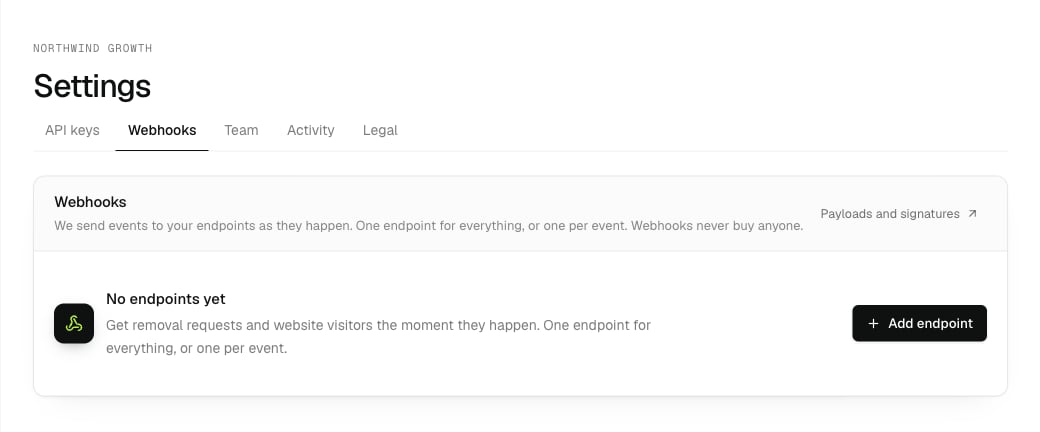
Settings → Webhooks. Each workspace has its own endpoints.
- The URL must be a public
https://address you control: real people’s details are sent to it. - An endpoint gets events from the moment it’s added (or from when you add an event to it). Older removals are in
GET /api/v1/suppressionsand older visitors inGET /api/v1/leads. - Change it with
PATCH /api/v1/webhooks/{id}(url,events,description,enabled). A new URL keeps the endpoint’s place, so nothing is skipped or sent twice. DELETE /api/v1/webhooks/{id}removes it.
intentleads webhooks add https://app.example.com/hooks/intent-leads --events visitors.
Test it
Send a test in the dashboard,POST /api/v1/webhooks/{id}/test or intentleads webhooks test ID --event visitors sends a signed request now and shows what your endpoint answered:
- With an event (
removalsorvisitors): a made-up sample in exactly the real shape, plus"test": true. Never real people. - Without one:
{"type": "webhook.test", "test": true}.
GET /api/v1/webhooks/{id}/attempts (the last 100).
What we send
Removals, oldest first:lead_id (recommended) or email_sha256, the same as in Removal requests. You have 10 business days from suppressed_at to delete or suppress them.
Website visitors, oldest first. Each is a full lead, the same fields as GET /api/v1/leads, plus visited_page, visited_at, photo_url, linkedin_headline, linkedin_title, linkedin_company and linkedin_location:
type: removals, visitors or webhook.test. Test sends also carry "test": true.
Signatures (optional)
Every request is signed, so you can check it came from us. Checking is optional but recommended. Each endpoint has its own secret: Reveal it under the endpoint in Settings → Webhooks, orGET /api/v1/webhooks/{id}/secret (admin key). Rotate it with New signing secret or PATCH {"rotate_secret": true}.
Every request carries three headers, in the Standard Webhooks format:
The Standard Webhooks libraries check it for you:
Answer and retries
Answer with any2xx within 15 seconds. Anything else, a redirect or no answer counts as a failure:
- We keep the batch and retry it on that endpoint after 1, 2, 4, 8 minutes, then every hour, until it succeeds. Nothing is skipped, and other endpoints carry on.
- After 8 failures in a row, we email your organization’s members, and we’re told too.
- While it’s failing, removals are in
GET /api/v1/suppressionsand visitors inGET /api/v1/leads, and your 10 business days still run fromsuppressed_at.
PATCH {"enabled": false}) pauses it; enabling it again picks up where it stopped.
Legacy: one webhook
The first version had one webhook per organization:GET, PUT and DELETE /api/v1/webhooks/removals and POST /api/v1/webhooks/removals/test. They still work and manage one endpoint that receives every event. New integrations should use /api/v1/webhooks.